The Ayushman card is the official health card under the Ayushman Bharat PMJAY scheme, India’s flagship government health insurance program for economically vulnerable families. It allows beneficiaries to access cashless hospital treatment at empanelled hospitals nationwide.
Downloading your Ayushman card is essential to avail these benefits. Many families face challenges such as technical errors, verification issues, or lack of awareness. This ayushman card download guide explains the process, eligibility criteria, step-by-step instructions for both online and offline methods, common issues, and practical tips to ensure your card is ready for use.
By following this guide, you will have a complete, practical understanding of how ayushman card download works and how to use the card effectively.
Eligibility for Ayushman Card Download
Not everyone can download an Ayushman card. Eligibility for ayushman card download is determined based on:
- Socio-Economic Caste Census (SECC) 2011 data
- Families identified as economically vulnerable
- Households without a fixed income above government thresholds
All members of an eligible household are covered.
Examples of eligible families:
- Rural households with low income qualify automatically under SECC categories.
- Urban households without a fixed income or with low-income thresholds may also qualify.
You can verify your eligibility before ayushman card download on the official PMJAY website: Check Eligibility on PMJAY
Benefits of Ayushman Card
Holding an Ayushman card provides multiple advantages:
- Cashless Treatment: Bills are settled directly with empanelled hospitals.
- Coverage Up to ₹5 Lakh per Family per Year: Reduces financial stress during serious illnesses.
- Portability Across India: Avail treatment at any empanelled hospital nationwide.
- Immediate Treatment for Pre-existing Conditions: No waiting period required.
- Wide Range of Medical Services: Surgeries, ICU care, cancer treatment, and diagnostics.
Having an Ayushman card after successful ayushman card download ensures vulnerable families can access quality healthcare without upfront payments — providing both financial protection and peace of mind.
To understand the broader benefits and features of this government scheme, you can also read our detailed guide on the Ayushman Bharat PMJAY scheme: Ayushman Bharat PMJAY Scheme Guide
How to Download Ayushman Card: Online & CSC Guide
A. Self-Download Online (Without CSC)
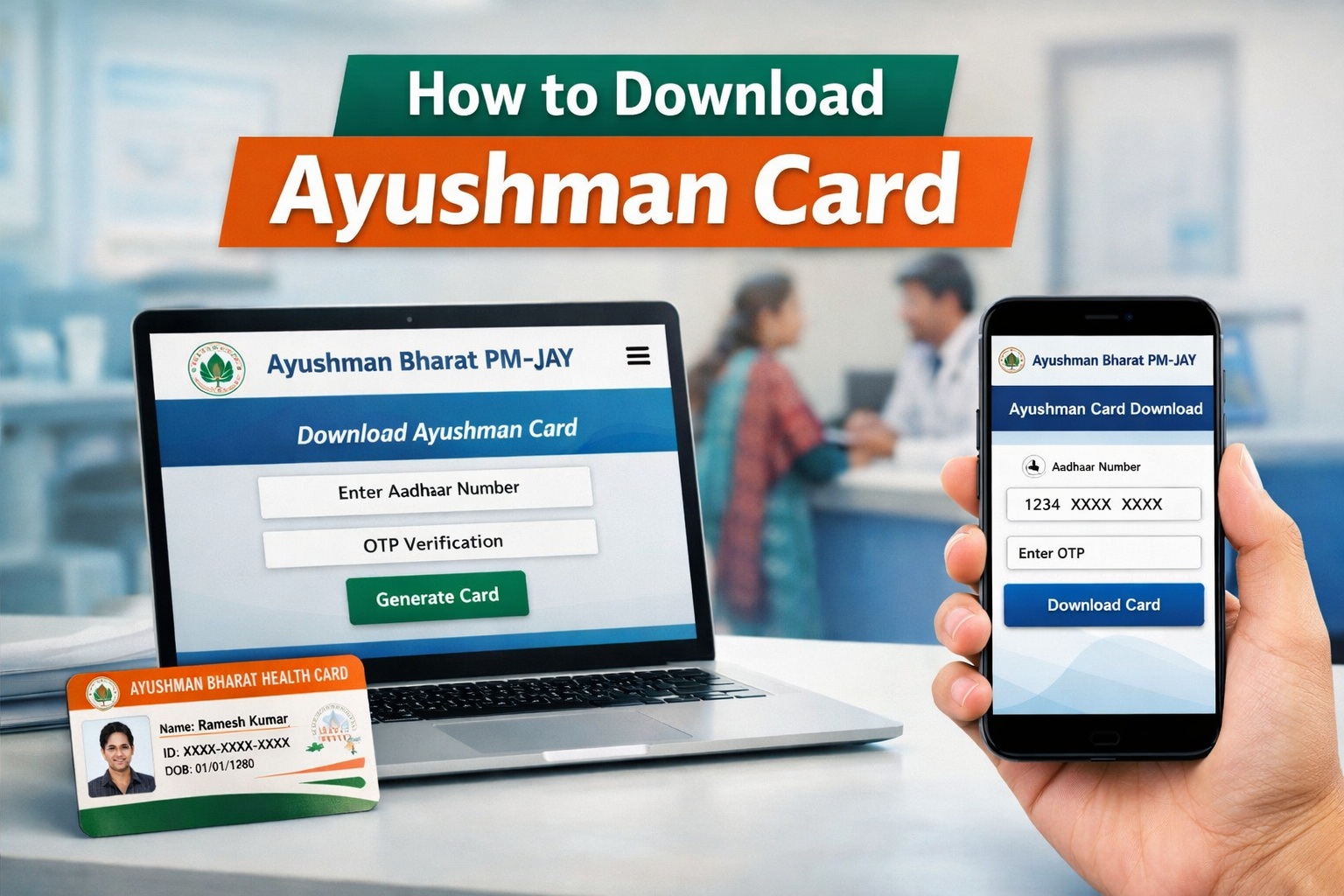
- Open the PMJAY Portal
Visit PMJAY Portal on your computer or mobile.
Click “Ayushman Card” in the menu. - Verify Your Eligibility
Enter your Aadhaar number or registered mobile number.
Complete OTP verification. - Enter Household Details
Fill in family member names, ages, and other required info.
Confirm all members are listed correctly. - Generate and Download Card
Click “Download Ayushman Card” to generate a PDF.
Save digitally and print for hospital visits.
This self-service method is commonly used for ayushman card download.
Optional – Mobile App
Download the PMJAY mobile app, log in with Aadhaar or mobile, and download your card directly on your phone.
B. Download via Common Service Centre (CSC)
- Visit the nearest CSC center.
- Provide Aadhaar card and other ID proofs.
- Request the operator to download your Ayushman card.
- Receive a printed card ready to use at hospitals.
CSC support is useful when online ayushman card download faces verification issues.
Documents Required for Ayushman Card Download
- Aadhaar card
- Mobile number linked to Aadhaar
- Family ID or other ID proofs (if requested at hospital or CSC)
Keeping these documents ready ensures a smooth ayushman card download process.
Common Issues & Troubleshooting
- Verification Errors: Ensure Aadhaar is linked to your mobile number.
- Card Not Showing: Check eligibility first on the PMJAY portal.
- Portal Errors: Use a different browser or try during off-peak hours.
- Multiple Downloads: You can download the card multiple times if needed.
- Incorrect Details: Contact your nearest CSC or hospital to update information.
Example Scenario:
If a family member’s details do not appear on your card, check the SECC eligibility list, then visit CSC for verification. This prevents denial of treatment at hospitals during ayushman card download verification.
For official guidance, visit the National Health Portal: National Health Portal
Additional Tips for Beneficiaries
- Keep both digital and printed copies of your card after ayushman card download.
- Verify hospital empanelment before treatment.
- Ensure all family members are listed correctly.
- Report discrepancies immediately to avoid delays.
- Carry supporting documents (Aadhaar, ID proofs) to the hospital.
- Educate all family members about how to use the card during visits.
Conclusion
The ayushman card download process is simple yet essential for accessing cashless healthcare under the Ayushman Bharat PMJAY scheme. Whether you choose online self-download or visit a CSC, this guide provides all the steps, tips, and troubleshooting to make the process easy and hassle-free.
By following these instructions, eligible families can ensure their card is ready, avoid common errors, and gain full access to the benefits of this government health program.
For more information about the broader workings and benefits of the initiative, you can explore our comprehensive Ayushman Bharat PMJAY guide: Ayushman Bharat PMJAY Scheme Guide